How to test webhooks locally: receive payment webhooks on localhost with a tunnel
How to test webhooks locally: why localhost cannot receive them, how to expose it with a tunnel, and how to send test events, simulate payments and replay.
On this page
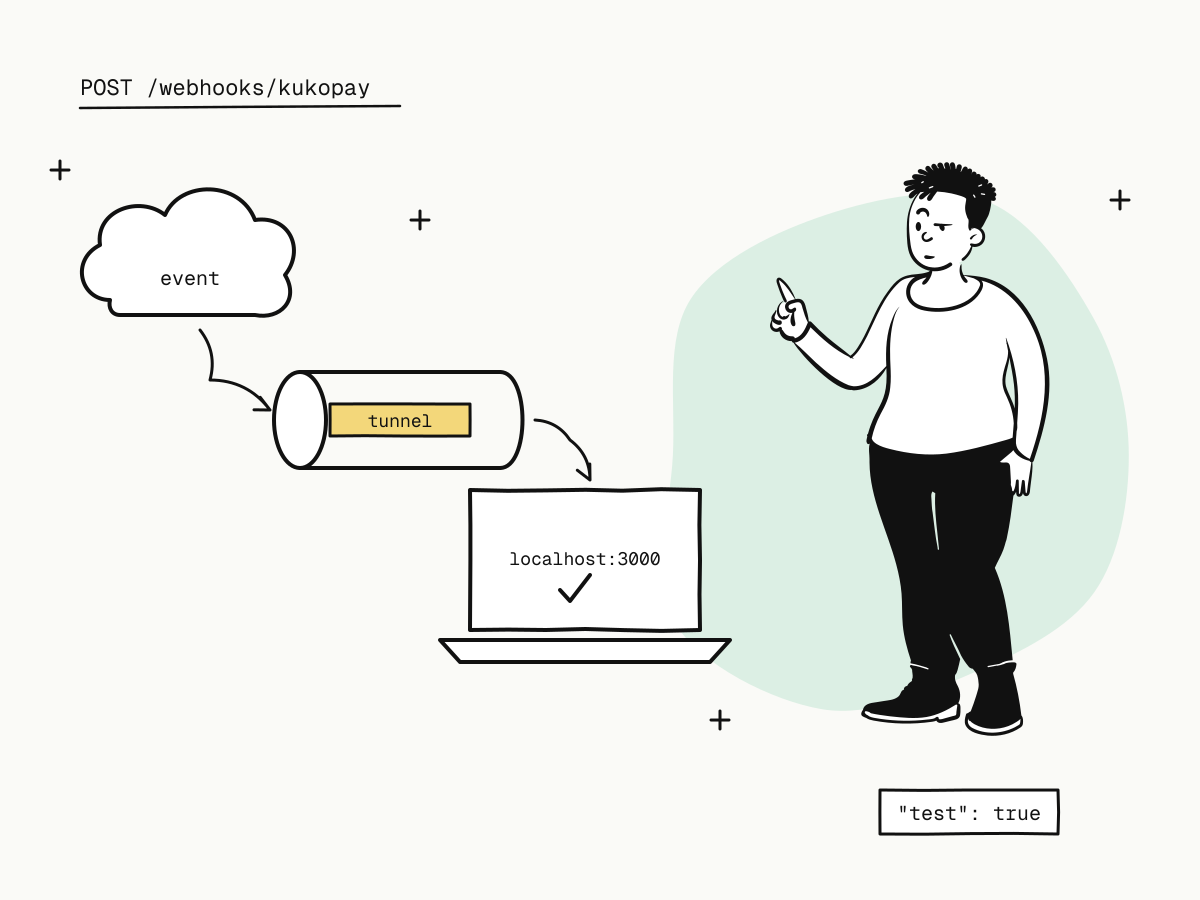
To test webhooks locally, you need a public HTTPS address that forwards to the server on your machine, because a payment platform cannot reach localhost. A tunnel such as cloudflared or ngrok gives you that address in one command; you register it as your webhook URL, and events sent to it arrive at your local code, where you can set breakpoints, read logs and change the handler as you go.
This guide shows how to test webhooks locally against KukoPay's sandbox: setting up the tunnel, registering the address, sending test webhooks and simulated payments to it, replaying deliveries, and the details that trip up a local setup.
Why localhost cannot receive webhooks
A webhook is a request from the platform's servers to yours. localhost and private network addresses (192.168.x.x, 10.x.x.x) only mean something on your own machine or network, so the platform has no way to reach them. KukoPay refuses them up front: a notify_url or webhook endpoint must be a public HTTPS address in the sandbox too, and localhost or a private address is answered with 400.
return_url is different: it is where the buyer's browser goes after paying, so in the sandbox it may point at http://localhost:3000/.... Only the webhook needs the tunnel.
Step 1: expose your local server with a tunnel
Start your webhook receiver locally — say on port 3000 — then open a tunnel to it:
cloudflared tunnel --url http://localhost:3000
# or
ngrok http 3000
Each prints a public HTTPS URL, such as https://random-words.trycloudflare.com, that forwards to your port. Your webhook URL is that address plus your route: https://random-words.trycloudflare.com/webhooks/kukopay.
Step 2: register the tunnel URL
Two ways, depending on how your integration receives events:
- Per order: pass the tunnel URL as
notify_urlwhen you create sandbox orders. Its webhooks are signed with the app's callback signing secret from Developers → API keys. - As an endpoint: create a sandbox webhook endpoint with the tunnel URL under Developers → Webhooks, and copy its signing secret, shown once. See how to manage multiple webhook endpoints.
Use sandbox (kuko_test_) keys and the sandbox secret: a live secret never verifies a sandbox webhook.
Step 3: send webhooks to your local server
You do not need to pay for anything to produce webhooks:
- Send a test webhook from Developers → Sandbox testing: choose the target and the event type, and the page shows the request sent and what your local server answered. It is built and signed like a real one, carries
"test": trueand anevt_test_id, and is never recorded as an event. - Simulate a payment result on a sandbox order that has not been opened at checkout: success, failure or expiry runs the real flow, so you receive a real
payment.succeeded(orpayment.failed/payment.expired) with the normal retries. A simulated success can then be refunded to test refund webhooks. - Pay at the sandbox checkout with a test card such as
4242 4242 4242 4242for the full buyer journey — see test credit card numbers.
Step 4: replay, retry and recover
Local development means your server will be down, restarting or broken some of the time, which is a chance to test the failure paths:
- Retries. A delivery that does not get a
2xxwithin 10 seconds is retried after 30 seconds, 2 minutes, 10 minutes, 30 minutes and 2 hours. Return a500on purpose and watch the same event id arrive again. - Manual redelivery. Every delivery is listed with its status under Developers → Webhooks, and can be sent again once your handler is fixed.
- Recovery. If deliveries ran out while your laptop was asleep, read what you missed from the events API — see webhook not received.
Details that trip up a local webhook setup
- The tunnel URL changes. Free tunnel addresses usually change when you restart the tunnel. Update the endpoint's URL: queued retries and manual redeliveries go to the endpoint's current address. A per-order
notify_urlstays with its order, so create new orders after a restart. - No redirects. A
3xxcounts as a failed delivery. Point the webhook at the exact route, not a page that redirects. - Verify the raw body. Development servers and middleware love to parse JSON for you; verify the signature on the raw bytes, then parse — see how to verify webhook signatures.
- Never fulfil a test webhook. Check for
"test": trueand acknowledge it without acting. - Handle duplicates. Store the event
idunder a unique constraint so a retried event is processed once — see payment webhook idempotency.
Summary
- To test webhooks locally, expose your local server through a tunnel (cloudflared, ngrok) and register the public HTTPS address —
localhostis refused even in the sandbox; - register it as a sandbox
notify_urlor a sandbox webhook endpoint, with the matching sandbox secret; - produce events with a test webhook, a simulated payment result or a test-card payment;
- use retries, manual redelivery and the events API to test what happens when your local server is down;
- update the endpoint when the tunnel URL changes, avoid redirects, verify the raw body and deduplicate by event id.
Try it in the sandbox
Create a merchant account and request a test key. The sandbox needs no business verification.